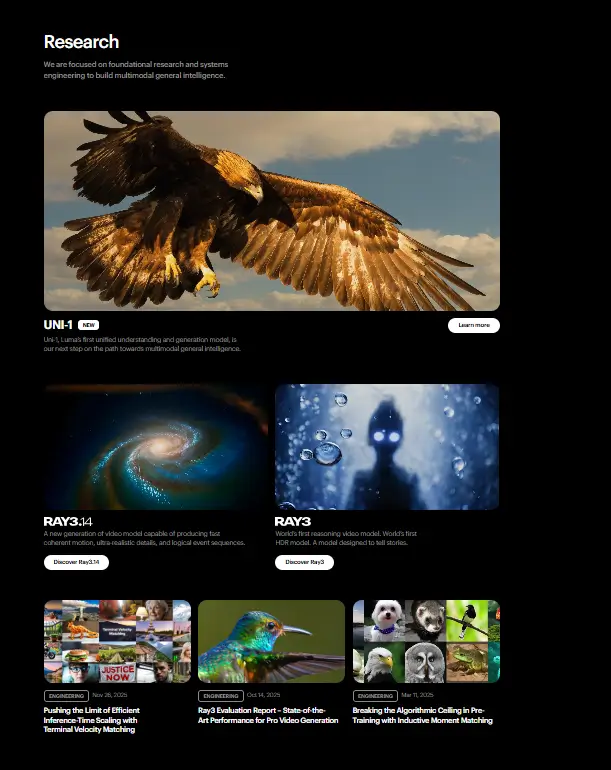
What is Luma?
Creating realistic 3D models once required expensive tools, technical skills, and long production time. Luma AI changes that by allowing users to capture real-world objects and turn them into detailed 3D models using simple devices like smartphones. The AI-powered video tool brings professional-level 3D creation within reach for creators, developers, and businesses. Luma AI focuses on making 3D content creation fast and accessible. Users record short videos of objects or spaces, and the platform converts them into high-quality 3D assets. This helps designers, marketers, and content creators produce immersive visuals without complex software or hardware.
Specifications
| Category | Details |
| Primary Functions | AI-powered 3D capture and model creation platform |
| Key Technology | - Neural rendering
- Photogrammetry processing
- AI-driven 3D reconstruction engine
|
| Integrations | Supports export to 3D software tools, game engines, and creative platforms |
| Special Features | - Realistic 3D capture
- Cinematic video generation
- Object scanning
- Environment modeling
|
| Pricing | Freemium model |
| Free Trial | Available |
Key Features
Genie: Text-to-3D: This is the headline feature. Describe any object in plain English, and Luma AI generates a detailed, rotatable 3D model in seconds.
Interactive Scenes: Users create dynamic 3D environments that respond to clicks, drags, and other interactions. Useful for product demos, educational tools, and game prototypes.
My Captures: The app digitizes real-world objects using your device camera. Scan a chair, a sculpture, or any physical item. Luma AI turns it into a usable 3D model.
Featured Captures: A curated gallery of high-quality 3D models and scenes from the community. Users download and modify these for their own projects.
Export Flexibility: Created models export in multiple standard 3D formats. Use them in game engines like Unity or Unreal, or in design software like Blender.
Pros
✅ Turn text into 3D models with no skills required
✅ Digitize real-world objects using your phone camera
✅ Create interactive 3D scenes without coding
✅ Free tier available for exploration
✅ Exports to standard 3D formats
✅ Strong community for sharing and learning
Cons
❌ New users need time to master advanced features
❌ Requires powerful device for intensive rendering
❌ Mobile app only, no web version
❌ Pro pricing not publicly listed
❌ Text-to-3D quality varies with prompt complexity
Who is Using Luma?
Graphic Designers: They create complex 3D designs without learning modeling software. Luma AI turns their concepts into assets they can refine further.
Game Developers: They prototype characters, props, and environments quickly. Luma AI generates assets in minutes that would take hours to model manually.
Educators: They teach science, history, and art with interactive 3D visualizations. Students explore models from any angle.
Digital Artists: They explore new dimensions in their artwork. Luma AI helps them experiment with 3D without leaving their creative flow.
Architects: They visualize new projects in 3D from simple descriptions. Clients see concepts without waiting for full renders.
Fashion Designers: They create 3D mockups of garments. Luma AI helps them iterate designs before cutting fabric.
Pricing
Free Plan: Luma’s free plan allows users to create limited 3D captures. This plan helps beginners explore basic features.
Paid Plans: Paid plans unlock advanced features such as higher-quality exports and faster processing. Professionals choose these plans for large projects.
What Makes Luma Unique?
- Converts real-world objects into realistic 3D models using smartphones
- Uses neural rendering to create natural lighting and textures
- Supports cinematic camera movements for video creation
- Handles both small objects and large environments
- Provides cloud-based rendering for faster performance
- Simplifies 3D content creation for beginners
- Produces high-quality results suitable for professional use
Rating
| Category | Rating (⭐/5) |
| Ease of Use | 4.6 /5 |
| Cost Efficiency | 4.4 /5 |
| Accuracy and Reliability | 4.7 /5 |
| Performance and Speed | 4.6 /5 |
| Functionality and Features | 4.8 /5 |
| Customization and Flexibility | 4.5 /5 |
| Data Privacy and Security | 4.4 /5 |
| Support and Resources | 4.5 /5 |
| Integration Capabilities | 4.3 /5 |
| Overall Score | 4.6 /5 |
Summary
Luma AI makes advanced 3D creation easier for users who want realistic results without complex tools. It allows people to turn everyday objects and environments into digital assets using simple recordings. The platform saves time, reduces technical barriers, and opens new creative possibilities for industries like gaming, real estate, and e-commerce. While recording quality plays an important role in final results, the platform still offers strong performance and flexibility. Luma AI stands as a valuable tool for creators and professionals who want to produce immersive 3D visuals quickly and efficiently.
Disclaimer
This review reflects Luma AI features and pricing available at the time of writing. Always check the official Luma AI website for the latest updates before selecting a plan.