What is HeyGen?
Video creation often takes time, skills, and expensive equipment. Many creators struggle with scripting, filming, editing, and voice recording. HeyGen AI solves this challenge by allowing users to create videos using realistic AI avatars and voice generation tools. It removes the need for cameras, studios, or actors.
This AI video tool focuses on making video creation simple and fast. Users type text, choose an avatar, and generate a professional video within minutes. Businesses, educators, marketers, and content creators use it to produce training videos, marketing content, and tutorials without complex production steps.
Specifications
| Category | Details |
| Primary Functions | AI-powered video generator using avatars and voice synthesis |
| Key Technology | - Text-to-video generation
- AI avatar rendering engine
- Neural voice synthesis technology
|
| Integrations | Works with video editing tools, marketing platforms, and cloud-based workflows |
| Special Features | - AI avatars, voice cloning
- Multilingual video creation
- Template-based video generation
|
| Pricing | Paid plans (subscription-based) |
| Free Trial | Available |
Key Features
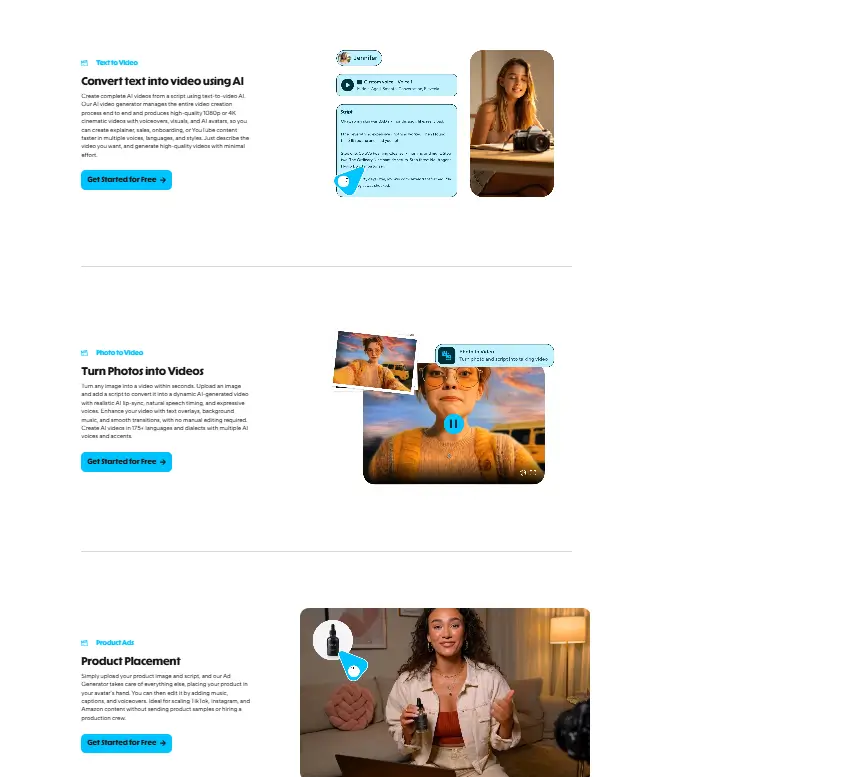
AI Avatar Video Creation: HeyGen AI provides realistic AI avatars that speak scripted content naturally. Users choose from a library of digital presenters that appear human-like in expressions and movement. This feature removes the need to record real presenters.Businesses use AI avatars to create explainer videos, training materials, and promotional content.
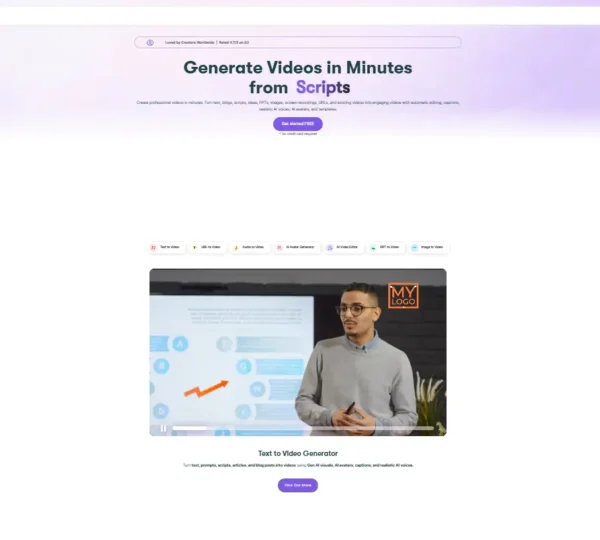
Text-to-Video Generation: HeyGen AI converts written text into full videos. Users enter scripts, select templates, and generate videos automatically. The platform handles scene design, animation, and voice narration. This feature speeds up content production and reduces editing time.
Voice Cloning Technology: HeyGen AI allows users to create voice clones that sound natural and consistent. Businesses use this feature to maintain brand voice across multiple videos. Voice cloning helps creators produce consistent audio without recording every script manually.
Multilingual Video Support: HeyGen AI supports multiple languages and voice accents. Users create videos for global audiences without hiring translators or voice actors. This feature helps businesses expand communication across regions.
Template-Based Video Editing: HeyGen AI includes ready-made templates for marketing, education, and presentations. Users select templates that match their content goals. Templates simplify video creation and maintain visual consistency.
Pros
✅ Simplifies video creation without cameras or filming
✅ Offers realistic avatars that improve viewer engagement
✅ Supports multilingual video production
✅ Reduces production time significantly
✅ Helps businesses create consistent branded content
✅ Requires minimal technical skills
Cons
❌ Premium features require subscription plans
❌ Avatar customization options may feel limited for advanced users
❌ Internet connection required for processing
❌ Complex scripts may need editing adjustments
Who is Using HeyGen?
Marketing Teams: Marketing professionals use HeyGen AI to create promotional videos and product demonstrations. The platform helps them deliver consistent content across campaigns.
Educators and Trainers: Teachers and trainers use HeyGen AI to create instructional videos and learning materials. It improves student engagement through visual content.
Corporate Teams: Businesses use HeyGen AI to create onboarding videos and employee training sessions. This saves time compared to recording live sessions.
Content Creators: Creators use HeyGen AI to produce video content for social media platforms. It allows them to share ideas quickly without filming equipment.
Customer Support Teams: Support teams create help videos using HeyGen AI. These videos guide customers through processes and reduce support requests.
Pricing
Starter Plan: The starter plan provides basic video creation tools and limited export options. This plan suits beginners and small projects.
Professional Plan: Professional plans unlock advanced avatars, voice cloning tools, and higher-quality video exports. Businesses often choose this plan for marketing work.
Enterprise Plan: Enterprise plans offer customization options, collaboration tools, and higher production capacity. Large organizations use this plan for scaling content creation.
What Makes HeyGen Unique?
- Creates videos using realistic AI avatars
- Converts text scripts into full video presentations
- Supports voice cloning for consistent audio branding
- Produces videos in multiple languages
- Includes ready templates for faster production
- Removes need for recording equipment
- Helps teams scale video creation efficiently
Rating
| Category | Rating (⭐/5) |
| Ease of Use | 4.7 /5 |
| Cost Efficiency | 4.4 /5 |
| Accuracy and Reliability | 4.6 /5 |
| Performance and Speed | 4.7 /5 |
| Functionality and Features | 4.7 /5 |
| Customization and Flexibility | 4.8 /5 |
| Data Privacy and Security | 4.5 /5 |
| Support and Resources | 4.6 /5 |
| Integration Capabilities | 4.4 /5 |
| Overall Score | 4.6 /5 |
Summary
HeyGen AI changes how people create video content by removing the need for filming and editing skills. It allows users to generate professional videos using avatars and voice tools in minutes. Businesses benefit from faster production cycles and consistent messaging across different platforms. The multilingual features and voice cloning tools add strong value for global communication. While advanced users may want deeper customization, the platform still delivers powerful results for marketing, training, and educational content. HeyGen AI stands as a practical solution for teams that need fast, scalable video creation without complex production steps.
Disclaimer
This review reflects HeyGen AI features available at the time of writing. Always check the official HeyGen website for updated pricing and features before selecting a plan.