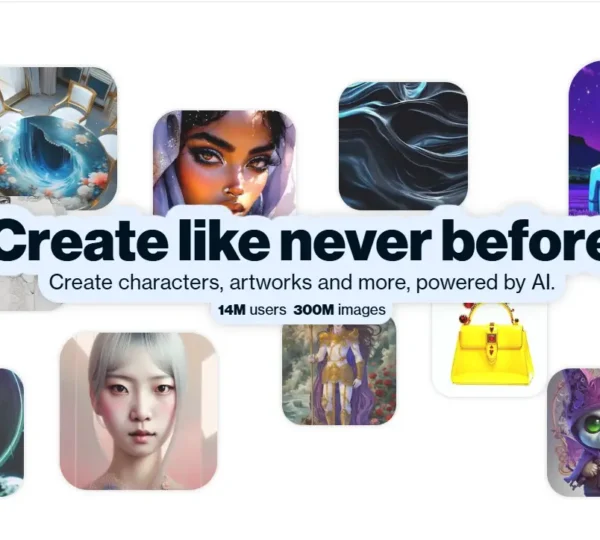
What is Adobe Firefly?
Adobe Firefly is a generative AI tool built for creatives. It turns text prompts into images, text effects, and vector graphics. Users type what they want to see, and Firefly generates it. They can add reference images to guide style and structure. The AI image tool includes generative fill. Users brush over areas to add or remove elements. Firefly blends new content seamlessly with the existing image. Generative recolor creates instant color variations for vector artwork. Text effects apply unique styles and textures to typography. Perfect for professionals like graphic designers, digital marketers, content creators, and educators who love exploring ideas and speed up their workflows.
Specifications
| Category | Details |
| Primary Functions | Generates images, vector graphics, text effects, and color variations from text prompts; integrates with Adobe Creative Cloud apps. |
| Key Technology | - Firefly generative AI model trained on licensed and public domain content.
- Generative Fill uses brush-based tools to add or remove image elements.
- Text to Vector converts natural language into scalable vector graphics.
- Generative Recolor creates color scheme variants for vector artwork.
- Text Effects applies textures and styles directly to type within images.
|
| Integrations | - Native integration with Photoshop, Illustrator, and Adobe Express.
- Available via Adobe Creative Cloud subscription.
- Enterprise APIs and custom model support for on-brand content at scale.
- Supports text prompts in over 100 languages.
|
| Special Features | Commercially Safe Outputs; AWL Generative Fill Brush Control |
| Pricing | Paid |
| Free Trial | Available |
Key Features
Text to Image Generation: Firefly accepts plain language descriptions and converts them into vibrant, detailed images within seconds. Users can attach reference images to guide the style, structure, or color palette of the result, giving far more creative control than a raw text prompt alone provides.
Generative Fill: Generative Fill lets users paint over any area of an image using an intuitive brush tool. Firefly then adds new elements or removes unwanted ones, blending the result seamlessly with the surrounding content. This removes the need for advanced compositing skills and saves hours on retouching jobs.
Text Effects: Text Effects applies rich styles, textures, and visual treatments directly to letterforms inside an image. Designers use this feature to produce eye-catching titles, promotional graphics, and editorial layouts without writing a single line of CSS or reaching for a manual filter stack.
Generative Recolor: Generative Recolor reads the structure of vector artwork and generates multiple color scheme variations instantly. Instead of manually adjusting individual swatches across a complex illustration, designers can explore an entire palette range in minutes and pick the combination that works best for the project.
Text to Vector Graphic: Text to Vector converts descriptive prompts into clean, scalable vector graphics that hold up at any size. This feature suits logo ideation, icon design, and illustration work where pixel-based outputs would fall short.
Pros
✅ Generates images, text effects, and vectors from simple prompts
✅ Seamless integration with Adobe Creative Cloud
✅ Generative fill blends new content naturally
✅ Instant color variations for vector artwork
✅ Designed for commercial use with safety in mind
✅ Supports over 100 languages
Cons
❌ New users need time to master advanced capabilities
❌ Requires stable internet connection for web-based features
❌ Best suited for users already in the Adobe ecosystem
❌ Free tier has usage limits
Who is Using Adobe Firefly?
Graphic Designers: They use Firefly to concept and produce unique visuals, iterate on design directions quickly, and handle time-consuming retouching tasks through Generative Fill.
Digital Marketers: Marketing teams generate campaign visuals, social media graphics, and ad creative at a pace that traditional design workflows cannot match.
Content Creators: Bloggers, YouTubers, and independent media producers use Firefly to create custom thumbnails, header images, and illustrations without commissioning artwork.
Educators and Students: Universities and design schools use Firefly in coursework to teach students how generative AI fits into modern creative production pipelines.
Architects and Fashion Designers: Architects generate conceptual renderings for early-stage presentations, while fashion designers apply Generative Recolor to explore pattern and textile color options rapidly.
Pricing
Adobe Firefly offers a free tier that lets new users explore its core capabilities without committing to a subscription. The Premium plan, available through Adobe Creative Cloud, unlocks advanced features, higher monthly generation credits, and priority access to new model updates. Enterprise users can also access custom APIs and proprietary model support for on-brand content production at scale. For the most current pricing details, refer to the official Adobe Firefly website.
What Makes Adobe Firefly Unique?
- Works inside Creative Cloud apps like Photoshop and Illustrator. No need to switch tools.
- Safe for commercial use. Good for designers and marketers.
- Brush-based generative fill adds or removes elements with control.
- Turns text into vector graphics instantly. No manual work needed.
- Creates quick color variations for vector designs.
- Supports 100+ languages. Easy for users worldwide.
Rating
| Category | Rating (⭐/5) |
| Ease of Use | 4.2 /5 |
| Cost Efficiency | 4.5 /5 |
| Accuracy and Reliability | 4.5 /5 |
| Performance and Speed | 4.3 /5 |
| Functionality and Features | 4.8 /5 |
| Customization and Flexibility | 4.6 /5 |
| Data Privacy and Security | 4.7 /5 |
| Support and Resources | 4.4 /5 |
| Integration Capabilities | 4.5 /5 |
| Overall Score | 4.5 /5 |
Summary
Adobe Firefly stands out as one of the most well-rounded generative AI tools available to creative professionals today. The combination of Text to Image generation with reference image guidance, Generative Fill’s brush-based compositing control, Text Effects, Generative Recolor for vector artwork, and Text to Vector output gives Firefly a scope that most standalone AI image tools do not reach. Its training on licensed content addresses the commercial safety concerns that hold many teams back from adopting generative AI in production work. The deep Creative Cloud integration means designers and marketers can adopt Firefly without changing their existing tool stack. For creative professionals, agencies, and in-house teams looking to accelerate output while maintaining quality and legal confidence, Adobe Firefly delivers the versatility, reliability, and ecosystem depth that serious creative workflows demand.
Disclaimer
The pricing and other information related to Adobe Firefly may not be up to date. We recommend users refer to the official Adobe Firefly website for the most accurate specifications and current pricing details.