What is Spikes Studio?
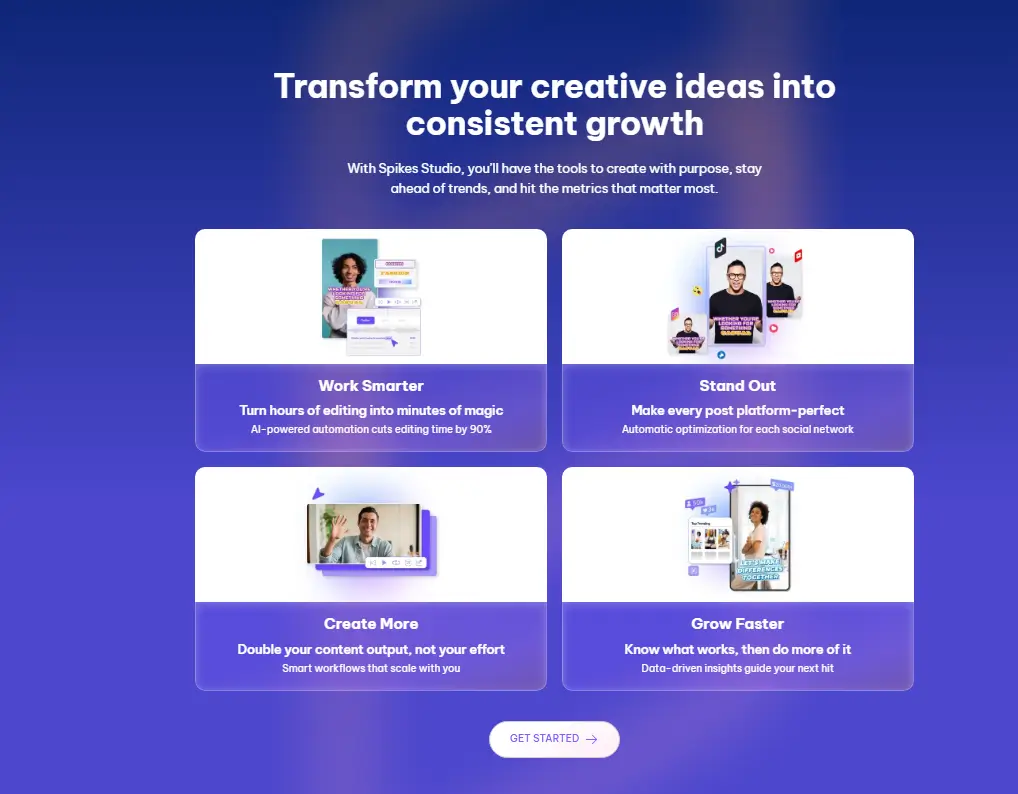
Spikes Studio helps you turn long videos into short clips fast. The AI finds the best moments automatically. You record a long video, and then you spend hours chopping it up to find the good bits for social media. Spikes Studio tries to do that for you. You upload your video, and its AI scans through to find the interesting parts. The AI video editing tool then makes those into separate clips, polished up and ready to post. The whole point is to save you time and make sure your best content gets seen on places like TikTok and Reels without you having to become a full-time editor. Perfect for streamers, YouTubers, and podcasters.
Specifications
| Category | Details |
| Primary Functions | AI finds the best parts of your videos and makes short clips for social media. |
| Key Technology | - Smart AI watches your whole video and picks out exciting moments.
- Edits everything automatically.
- Knows what works on each social media platform.
- Uses machine learning to get better over time.
|
| Integrations | - Users can share clips straight to social media.
- Works with cloud storage like Google Drive.
- Takes videos from different sources.
- Allows teams to work together on projects.
- Browser works fine for everything.
|
| Special Features | - AI makes your clips look better than the original sometimes.
- Colors pop more.
- Audio sounds clearer.
- Quality improves without you doing anything.
|
| Pricing | Subscription plan |
| Free Trial | Available |
Key Features
AI Finds the Best Moments: The tool watches your whole video like a person would. It notices when exciting stuff happens. Gaming streams get the big plays captured. Podcasts get the funny or interesting parts. Reaction videos catch the best reactions. You don’t sit there marking timestamps yourself. The computer does the boring work for you. It’s like having an assistant who knows what people want to watch.
Makes Clips For Each Platform: Every social media site is different, right? TikTok needs vertical videos. YouTube Shorts too. Instagram Reels want specific sizes. Spikes Studio knows all this stuff. One long video turns into multiple clips. Each one fits perfectly where you post it. Captions go in the right spots. Aspect ratios match what works. You’re not cropping stuff manually or messing with settings forever.
Auto Editing Capacity: Normal video editing takes forever. You cut, trim, add text, fix audio. This tool does most of that by itself. Clips start and end at good spots. Cuts happen where they make sense. Audio levels balance out. You get clips that look edited without doing the editing. Sure, you can tweak things if you want. But the automatic part saves hours every single time.
Content Enhancement: Gaming streams work great. Podcasts turn into shareable moments. Educational videos get key points clipped. Comedy sketches pick funny bits. Any long format video can become short clips.
Pros
✅ Reduces time for creating social media-ready clips.
✅ Optimizes content leads to higher engagement rates across platforms.
✅ Eliminates the requirement for expensive editing software or hiring professional editors.
✅ Offers a straightforward solution for creators to produce content, regardless of their editing skills.
Cons
❌ New users often require time to familiarize themselves with AI features and capabilities.
❌ Spikes Studio focuses only on video content, failing to cater the needs of all creators.
Who is Using Spikes Studio?
YouTubers: They use it to make teaser clips and highlight reels from their long videos. Instead of spending hours cutting down a 20-minute video, they let the AI find the best 60-second bits to post on community tabs or other platforms.
Twitch Streamers: Live streamers have hours of footage. Spikes helps them grab those crazy game-winning moments or funny chat interactions right after stream. They can share these highlights on social media to bring in new viewers.
Social Media Influencers: Influencers juggling TikTok, Instagram, and YouTube use it to keep content flowing. They might record one longer video and let the AI spin it into a week’s worth of short posts. It helps them stay active without burning out.
Digital Marketers: Marketing folks use it to pull short, punchy clips from webinars, product demos, or brand videos. These become quick ads or social teasers that drive people back to the full content.
Podcasters and Educators: Podcasters take video versions of their shows and turn funny stories or hot takes into TikTok clips. Teachers record lectures and use Spikes to pull out key explanations for students to review later on social platforms.
Pricing
Free Tier: With the free plan, users get a limited number of free clips each month. This is a good way to see if the AI works for your kind of content.
Subscription Plans: For more clips and advanced features, you need a paid plan. You have to visit the official Spikes Studio website to see what those plans cost.
What Makes Spikes Studio Unique?
- AI-driven approach to video editing.
- Saves time and produces content optimized for engagement by automating the editing process.
- Understands and adapts to the specific requirement of YouTube, Twitch, TikTok, and Instagram Reels.
- Users can directly share your created clips to major platforms without leaving the Spikes Studio interface.
- Seamlessly integrates with popular cloud storage services for easy access to raw and edited videos.
- Supports a wide range of video file formats, ensuring compatibility with content from various sources.
- Enables teams to work together on clip creation, streamlining the content production process.
- Users can access tutorials on the Spikes Studio website.
Rating
| Category | Rating (⭐ /5) |
| Ease of Use | 4.7 /5 |
| Cost Efficiency | 4.6 /5 |
| Accuracy and Reliability | 4.5 /5 |
| Performance and Speed | 4.8 /5 |
| Functionality and Features | 4.6 /5 |
| Customization and Flexibility | 4.2 /5 |
| Data Privacy and Security | 4.5 /5 |
| Support and Resources | 4.4 /5 |
| Integration Capabilities | 4.3 /5 |
| Overall Score | 4.5 /5 |
Summary
Spikes Studio does what it promises. Takes long videos, makes short clips, saves you hours. The AI works pretty well most of the time. The price is almost too cheap, honestly. Easy enough that anyone can use it. Creates content for all the platforms that matter. If you make videos and need clips for social media, this tool helps a ton. Definitely worth trying the free version at least.
Disclaimer
The pricing and other information related to Spikes Studio may not be up to date. We recommend users to refer to the official website of Spikes Studio for most accurate specifications and current pricing details.