
- Anywhere



Pixcap AI
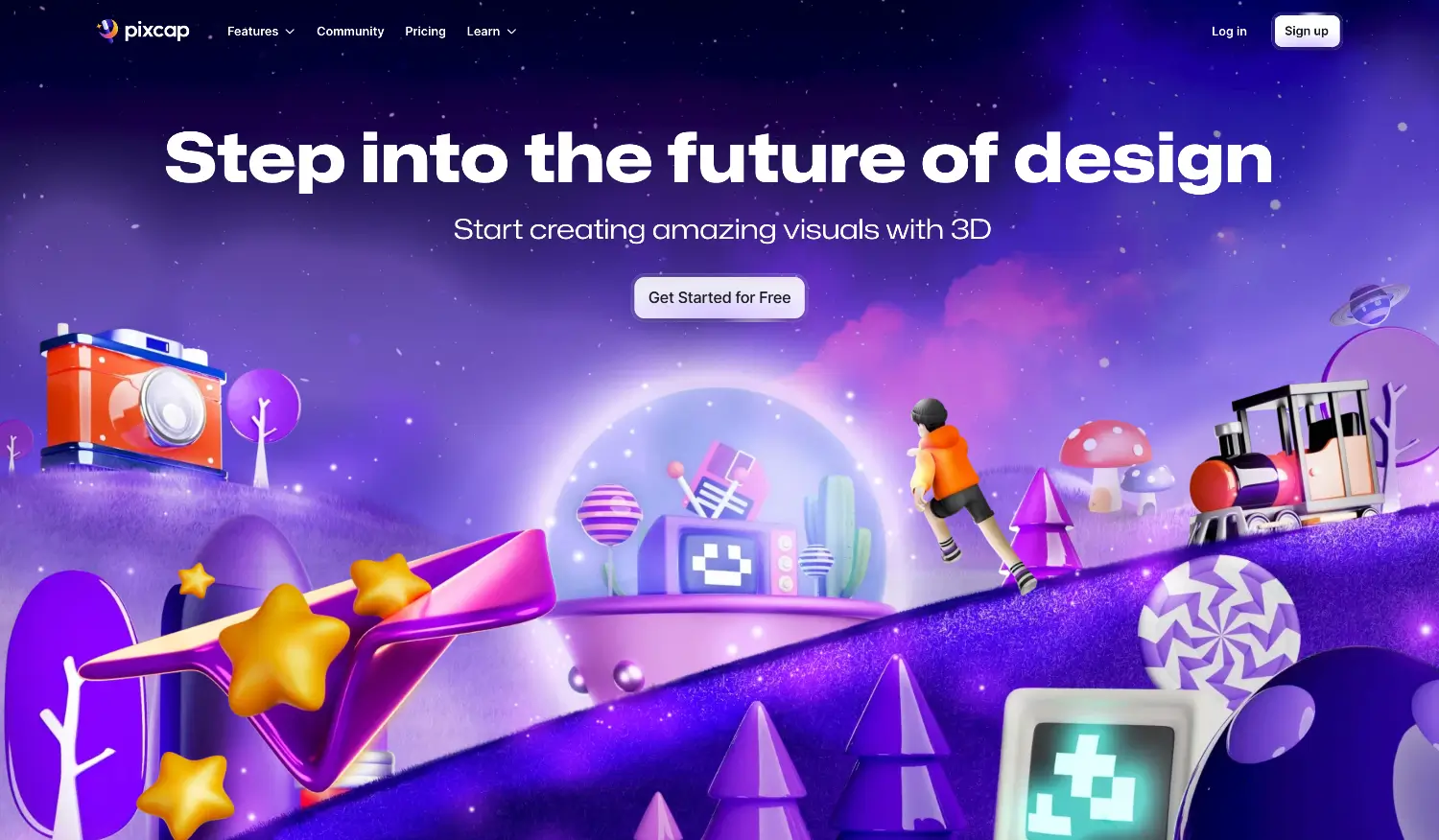
What is Pixcap?
Pixcap is a web-based platform for creating 3D content. It targets designers and marketers who need high-quality 3D visuals but may not have expertise in complex 3D software like Blender or Cinema 4D. The platform combines traditional 3D editing tools with AI assistance. Users can edit 3D scenes, manipulate models, and animate objects or characters through a browser interface. The goal is to make 3D design faster and more accessible. The AI productivity tool allows users to produce assets like illustrations, UI icons, and advertisements without a steep learning curve or powerful local hardware.
Specifications
| Category | Details |
| Primary Functions | AI-powered graphic design software. |
| Key Technology |
|
| Integrations |
|
| Special Features | AI Stylist |
| Pricing | Free & Paid models |
| Free Trial | Available |
Key Features
3D Scene Editing: The platform provides tools to build and modify 3D scenes. Users can arrange objects, adjust camera angles, and control lighting to create the desired composition.
Model Manipulation: Users can directly interact with 3D models. They can rotate, scale, and position models within a scene. The platform likely includes a library of pre-built models to start from.
Object and Character Animation: Pixcap includes animation features. Users can add movement to objects or characters. This is useful for creating dynamic content like explainer videos or animated ads.
AI-Powered Design Assistance: AI integration helps streamline the design process. It may assist with generating design variations, suggesting complementary elements, or automating repetitive setup tasks.
Versatile Asset Creation: The platform supports creating a wide range of output types. This includes marketing materials like social media ads, UI components like app icons, and illustrative graphics for websites.
Pros
✅ Reduces the barrier for non-specialists to create professional 3D content
✅ No deep technical expertise required.
✅ Works in a browser. No software installation and no need for high-powered computers.
✅ AI assistance can speed up workflows and help users overcome creative blocks.
✅ Useful for both designers creating detailed illustrations and marketers producing ad creatives.
✅ Adds the ability to create moving content, which is valuable for video ads and social media.
Cons
❌ The provided source is brief. Detailed feature depth, model library size, and output quality are not specified.
❌ Cost and subscription models are not mentioned. Users must visit the site for this information.
❌ While simplified, users still need basic understanding of 3D concepts like scenes, lighting, and animation.
❌ Not specified how well generated assets integrate with other tools like Figma, After Effects, or game engines.
❌ As with many newer tools, stability and feature completeness may evolve over time.
Who is Using Pixcap?
Digital Designers: Create illustrations, website graphics, and UI icons faster. Use AI assistance to explore design variations.
Marketing Professionals: Produce eye-catching 3D visuals for social media ads, email campaigns, and website banners without outsourcing to specialized 3D artists.
Content Creators: Generate animated 3D assets for video content, explainers, and social media posts to increase engagement.
Startups and Small Businesses: Access professional 3D design capabilities without hiring dedicated 3D staff or investing in expensive software licenses.
UI/UX Designers: Create 3D icons and interface elements to add depth and visual interest to app and web designs.
Pricing
Free Plan: Includes basic access to 3D assets and editing tools, often with watermarks on exported projects.
Pro Plan: Starts at roughly $5–$10/month (often billed annually). This typically provides higher project limits and removes watermarks.
Elite Plan: A higher-tier option (listed around $20/month) is generally available for more advanced, professional needs.
What Makes Pixcap Unique?
- Generates unlimited visual style variations from a single 3D asset using text prompts
- Covering aesthetics from lifelike renders to paper-cut and clay illustrations\
- Designers can make creative directions from one base asset rather than building separate designs for each style.
- Animators can apply realistic human poses from photo references directly onto 3D characters with precise individual finger positioning.
- The Figma plugin creates a seamless 3D-to-UI workflow, allowing interface designers access, customize, and place 3D assets directly.
- The assets are compatible with the full range of design, video, and 3D software that professional teams use.
- Bridges browser-based creation with external production workflows.
- Multi-format export in PNG, MP4, GIF, GLB, and GLTF.
Rating
| Category | Rating (⭐ /5) |
| Ease of Use | 4.6 /5 |
| Cost Efficiency | 4.5 /5 |
| Accuracy and Reliability | 4.2 /5 |
| Performance and Speed | 4.4 /5 |
| Functionality and Features | 4.7 /5 |
| Customization and Flexibility | 4.5 /5 |
| Data Privacy and Security | 4.1 /5 |
| Support and Resources | 3.9 /5 |
| Integration Capabilities | 4 /5 |
| Overall Score | 4.3 /5 |
Summary
For graphic designers, UX/UI teams, marketers, and content creators who want to add 3D depth to their visual work without expensive software or specialist skills, Pixcap is one of the most accessible and feature-rich options available at its price point. The tool delivers a well-rounded and genuinely practical 3D design platform for teams and individuals who need professional-quality 3D visuals without the learning curve of dedicated 3D software. The combination of the features make a complete workflow that covers concept generation, asset customization, character animation, and production-ready export in one browser-based environment.
Disclaimer
The pricing and other information related to Pixcap AI may not be up to date. We recommend users refer to the official website of Pixcap AI for the most accurate specifications and current pricing details.
Related AI Tools
No related categories found.