What is Magical?
Repetitive typing steals more time than most people realize. Copying the same replies, filling forms, and switching between apps slows work and drains energy. Magical AI steps in as a simple automation helper that handles these everyday tasks without complicated setup. It works directly inside your browser and helps users write faster, move data between tools, and automate common actions with just a few clicks. Many professionals waste hours repeating small tasks that feel harmless but add up over time. The AI-powered productivity tool reduces this daily friction by turning repeated text and workflows into quick shortcuts. Teams and individuals use it to save time, stay organized, and focus on meaningful work instead of routine typing.
Specifications
| Category | Details |
| Primary Functions | AI-powered text automation and workflow assistant |
| Key Technology | - Natural language processing
- Workflow automation engine
- Browser-based text expansion system
|
| Integrations | Works with Gmail, Slack, LinkedIn, Salesforce, Zendesk, and thousands of web tools |
| Special Features | - Text shortcuts
- Workflow automation
- AI writing suggestions
- Cross-app data transfer
|
| Pricing | Freemium |
| Free Trial | Available |
Key Features
Text Expansion Shortcuts
Magical AI allows users to create shortcuts that expand into full text instantly. Instead of typing the same message repeatedly, users type a short keyword and receive the full response. This feature improves speed and reduces typing fatigue.
Cross-App Data Transfer: One of the strongest features the tool involves moving data between different apps. Users copy information from one platform and paste it into another without switching windows repeatedly. This reduces manual work and prevents mistakes.
Workflow Automation: The tool supports automated workflows that handle repetitive tasks. Users build sequences that fill forms, send messages, or update fields automatically. This feature improves consistency and reduces repetitive effort.
AI Writing Assistance: Magical AI includes writing support that suggests improved responses. It helps users draft emails, replies, and messages quickly. This feature benefits customer support teams and professionals who communicate frequently.
Browser-Based Functionality: Magical AI works directly inside web browsers. Users do not install heavy software or learn complex tools. This simple design makes it accessible for beginners and busy professionals.
Pros
✅ Saves time by automating repetitive typing tasks
✅ Works across many web platforms and tools
✅ Requires no coding or technical knowledge
✅ Improves consistency in team communication
✅ Reduces typing errors and manual effort
✅ Supports both individual users and teams
Cons
❌ Only available on Chrome and Edge browsers
❌ 200-character limit on custom prompts
❌ Full features only on desktop
❌ Mobile support is limited
Who is Using Magical?
Sales Representatives: They use Magical AI to craft personalized outreach emails. They update CRM records with one click. They save hours of manual typing every week.
Customer Support Teams: They reply to customer inquiries instantly. Magical AI generates accurate, helpful responses based on conversation context. Response times drop dramatically.
Recruiters: They communicate with candidates across email, LinkedIn, and messaging platforms. Magical AI drafts follow-ups, interview confirmations, and feedback requests quickly.
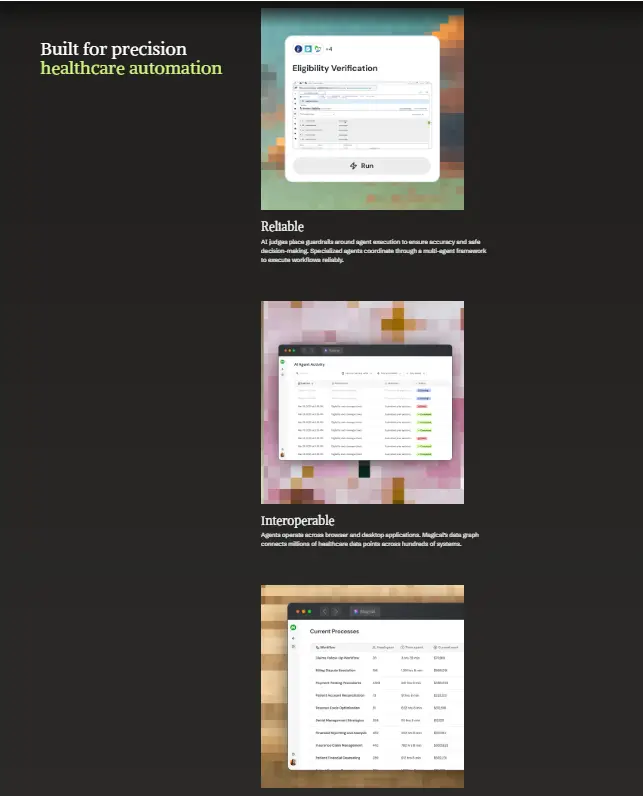
Healthcare Professionals: They use Magical AI for administrative tasks. Patient follow-ups, appointment reminders, and internal communications happen faster. More time for patient care.
Freelancers: They manage multiple clients across different platforms. Magical AI helps them respond faster, stay organized, and avoid repetitive typing.
Educational Institutions: Teachers and administrators use Magical AI for parent communications, student follow-ups, and internal coordination. It reduces administrative workload.
Pricing
Free Plan: Magical AI offers a free plan with basic text automation features. Users test shortcuts and simple workflows without paying.
Paid Plans: Paid plans unlock advanced automation features and team collaboration tools. Businesses use these plans to scale productivity across departments.
What Makes Magical Unique?
- Creates reusable text shortcuts that save time daily
- Transfers data across apps without manual copying
- Supports automated workflows without coding skills
- Works directly inside browsers without installation
- Helps teams maintain consistent communication
- Includes AI writing support for faster replies
- Reduces repetitive digital tasks across industries
Rating
| Category | | Rating (⭐/5) |
| Ease of Use | | 4.8 /5 |
| Cost Efficiency | | 4.6 /5 |
| Accuracy and Reliability | | 4.5 /5 |
| Performance and Speed | | 4.7 /5 |
| Functionality and Features | | 4.6 /5 |
| Customization and Flexibility | | 4.5 /5 |
| Data Privacy and Security | | 4.4 /5 |
| Support and Resources | | 4.5 /5 |
| Integration Capabilities | | 4.7 /5 |
| Overall Score | | 4.6 /5 |
Summary
Magical AI proves that small changes in workflow can lead to big productivity gains. It helps users replace repetitive typing with simple shortcuts and automated actions. Over time, these small improvements create faster work routines and reduce daily stress. The platform fits well into existing tools, so users do not need to rebuild their workflow from scratch. Businesses that rely on emails, forms, and repeated messaging benefit the most from this tool. While users may spend time setting up shortcuts at the start, the long-term time savings make Magical AI a practical and reliable productivity companion.
Disclaimer
This review reflects platform details available in March 2026. Features and pricing may have changed. Please refer to the official Magical website for the most current information.