What is Casetext?
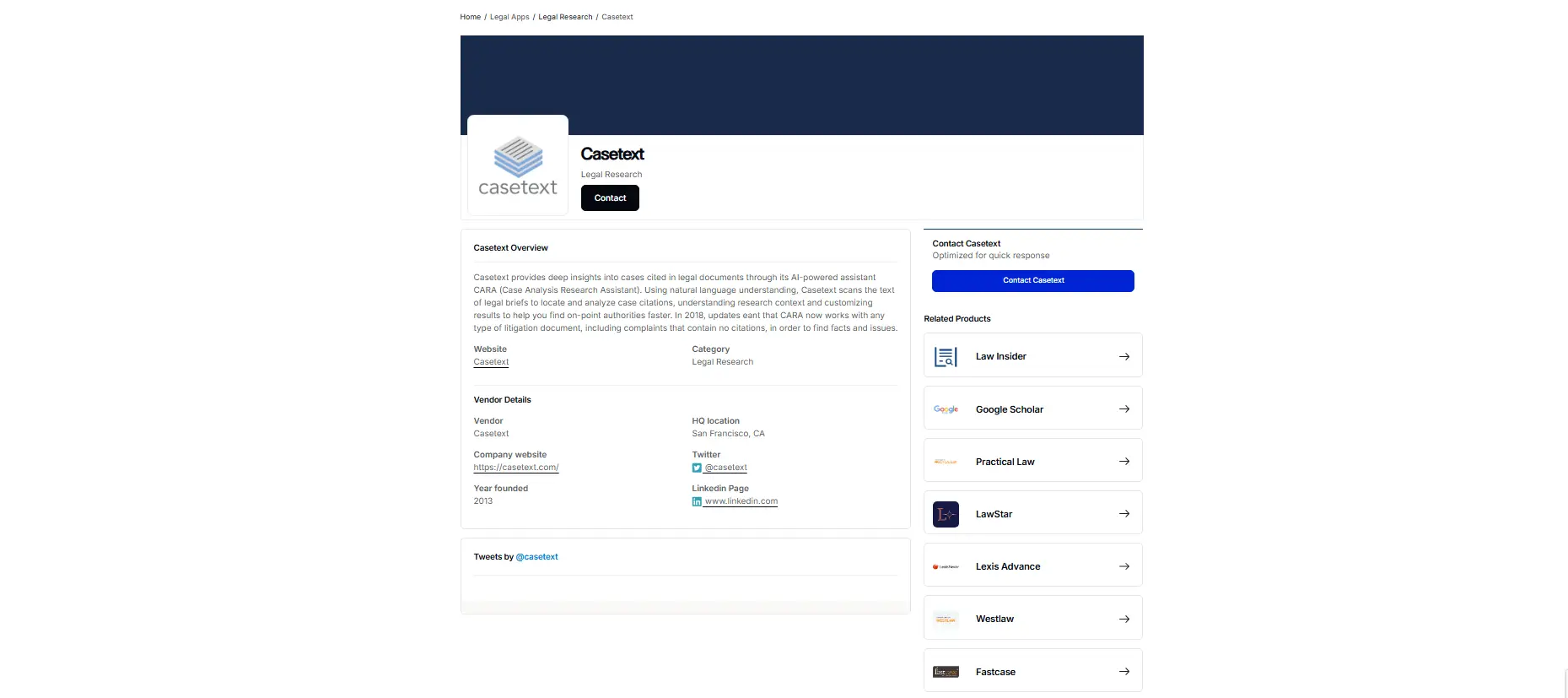
Casetext emerges as a revolutionary tool in the legal field. With the introduction of CoCounsel, the world’s first AI legal assistant powered by GPT-4, the tool transforms the way legal professionals handle document review, deposition preparation, contract analysis, and timeline creation. This AI productivity tool acts like a smart junior associate who can do research and read through thousands of documents really fast. You give it a legal question or a pile of contracts, and it goes to work. It finds relevant cases, spots risky clauses, or pulls out key information. The whole point is to let lawyers spend less time on tedious paperwork and more time on strategy and talking to clients. It’s made for solo practitioners who wear many hats and big law firms with huge caseloads.
Specifications
| Category | Details |
| Primary Functions | AI assistant that helps lawyers handle all the legal work |
| Key Technology | - Uses GPT-4 which is pretty advanced AI.
- Trained specifically on legal stuff like case law and contracts.
- Understands legal language and concepts that regular AI wouldn’t get.
- Processes documents fast and accurately.
|
| Integrations | - Works as a standalone tool mostly.
- You can upload documents and contracts to it.
- Connects to legal databases for research.
- Browser based so works on any computer.
|
| Special Features | - Reads through huge piles of documents quickly.
- Picks out the important stuff.
- Finds problems, conflicts, and risks.
- Points out clauses that don’t match your requirements.
- Suggests how to fix issues.
|
| Pricing | Subscription based |
| Free Trial | Available |
Key Features
Fast Legal Research and Deposition Preparation: Users can type in their legal issues and the jurisdiction. Casetext’s CoCounsel searches and gives you complete answers with citations and sources in seconds. This saves hours of digging through case law books.
Smart Document Reviews: The tool scans through huge piles of documents, like contract databases or discovery materials, and flags the important stuff. It finds key information faster than a team of paralegals.
Contract Analysis and Revision: Users upload a contract and any rules it needs to follow. Casetext spots risky clauses, points out where it conflicts with your policies, and even suggests how to rewrite things.
Helps with Timeline Creation: It reads the case files and builds a clear timeline of events. This helps lawyers get a handle on the facts and prepare for trial or mediation.
Pros
✅ Automates tasks, thereby decreasing the operational costs of the legal firms.
✅ Reduces time advocates spend on legal research and deposition preparation significantly.
✅ Ease of use allows legal professionals to quickly adapt and integrate it into their workflow.
✅ Utilizes GPT-4 for high precision and reliable results in document review and contract analysis.
Cons
❌ New users require spending some time for complete understanding and utilizing the features.
❌ Accuracy of outputs depends on the quality and specificity of the information provided by the user.
❌ Lawyers may become overly reliant on AI, affecting the development of junior legal staff’s research skills.
Who is Using Casetext?
Solo Practitioners and Small Legal Firms: Lawyers working alone or in small teams use it to handle research and document work without hiring extra staff. It levels the playing field against bigger firms.
Large Law Firms: Large law firms use the tool for handling huge document reviews in big cases. It saves them money and lets junior associates focus on higher-level work instead of staring at thousands of emails.
Litigators: Lawyers who go to court use it to prepare for depositions faster and build airtight timelines from messy case files.
In-house Legal Departments: Corporate lawyers use it to manage contracts, check for compliance with company rules, and handle routine legal questions from other departments.
Transactional Attorneys: Lawyers who do deals and contracts rely on it to spot risks in agreements and make sure they follow all the rules.
Special Cases: Groups like The California Innocence Project use it to review innocence claims faster. Law schools are starting to use it to teach students about AI in legal work.
Pricing
Free Trial: Users can sign up for a free trial to see if CoCounsel actually helps with your kind of work. This is a good way to test before buying.
Subscription Plans: For complete access of the tool, users must opt for a paid plan. You have to visit the Casetext website or contact their sales team to get specific pricing for your firm.
What Makes It Unique?
- Handles various tasks from legal research to contract analysis, with remarkable speed and accuracy.
- The extensive training and vetting process it undergoes ensures that it delivers reliable results, making it a trustworthy tool for legal professionals.
- Users can access the tutorial resources and support on Casetext’s website.
Rating
| Category | Rating (⭐/5) |
| Ease of Use | 4.5 /5 |
| Cost Efficiency | 4.4 /5 |
| Accuracy and Reliability | 4.8 /5 |
| Performance and Speed | 4.9 /5 |
| Functionality and Features | 4.7 /5 |
| Customization and Flexibility | 4.3 /5 |
| Data Privacy and Security | 4.6 /5 |
| Support and Resources | 4.5 /5 |
| Integration Capabilities | 4 /5 |
| Overall Score | 4.6 /5 |
Summary
Casetext’s CoCounsel helps lawyers work faster. Legal research happens in minutes not hours. Document review finishes way quicker. Contract analysis catches problems automatically. The time savings are genuinely massive. Accuracy is good enough to trust with verification. Not perfect but very useful overall. Learning curve exists but you get over it. Pricing seems reasonable for what it does. If you’re a lawyer dealing with lots of research or documents, this tool probably helps a ton. Definitely worth trying the free trial at least.
Disclaimer
The pricing and other information related to CozCounsel may not be up to date. We recommend users to refer to the official website of Casetext for most accurate specifications and current pricing details.